Alert Message
Alert messages inform shoppers why a checkout rule blocked their order. Each rule can define when to show the alert, the text that appears, and any translations.
Choose a Display Timing
Section titled “Choose a Display Timing”Select when the alert is shown under Alert Message Setup ▸ Display Timing. Pick one of two options depending on how early you want to notify shoppers.
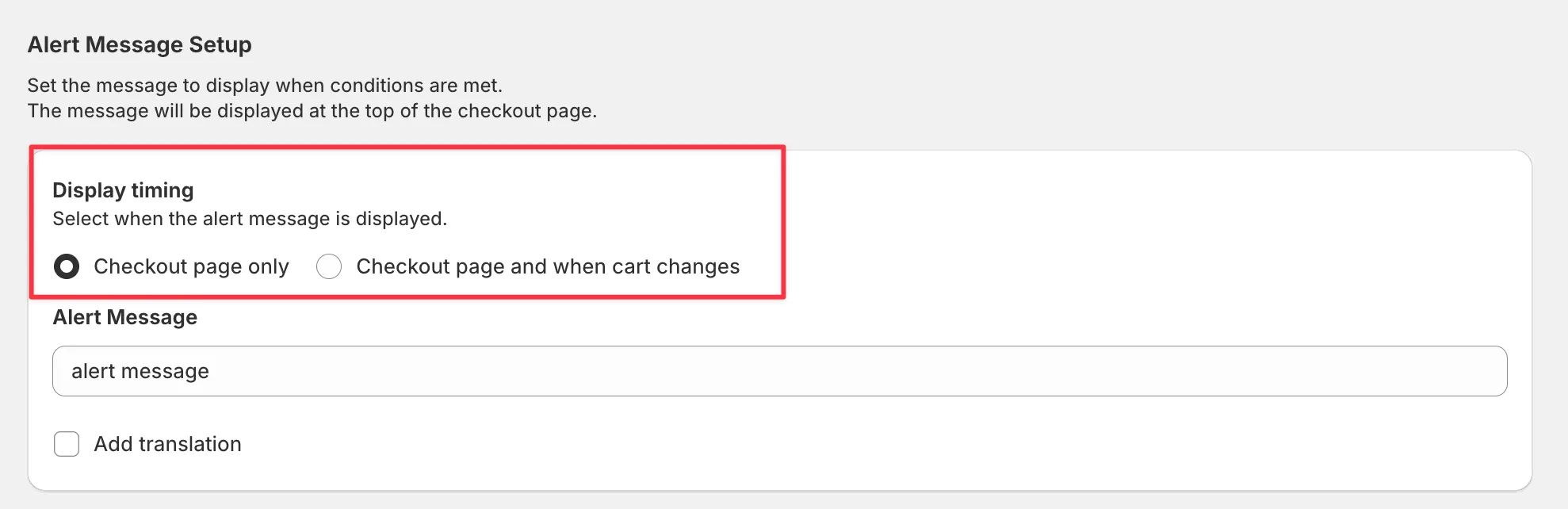
Checkout page only
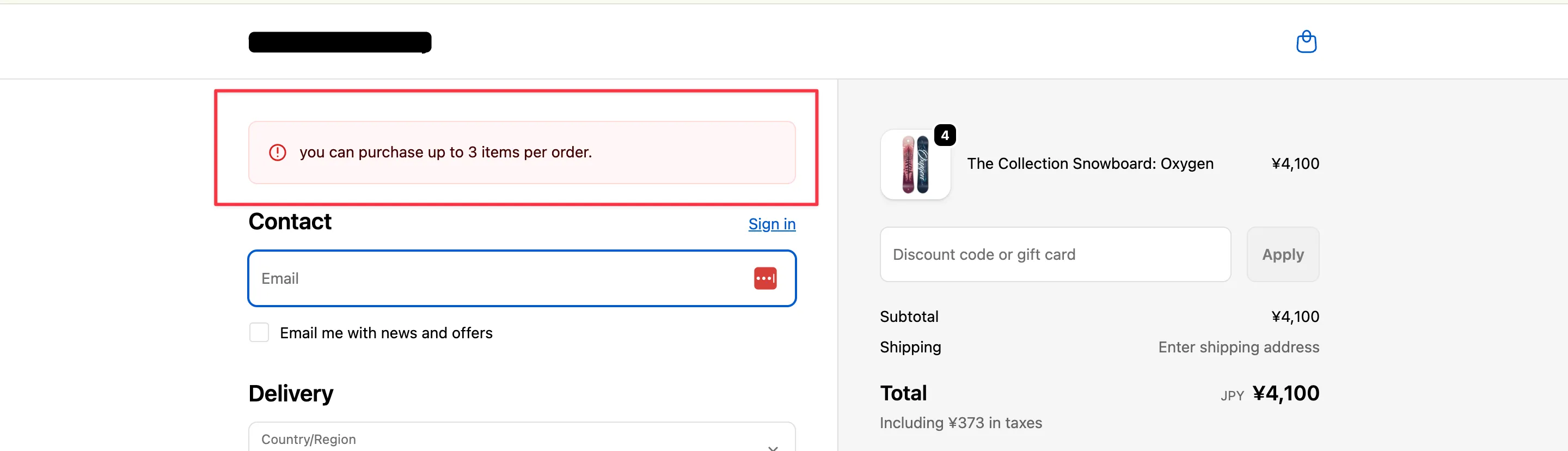
Section titled “Checkout page only”Display the alert at the top of the checkout page. Because it renders on Shopify’s checkout UI, it appears consistently across all storefront themes.
Checkout page and when cart changes
Section titled “Checkout page and when cart changes”Show the alert both on checkout and right after shoppers add items or change quantities on product or cart pages, so they can adjust before checkout.
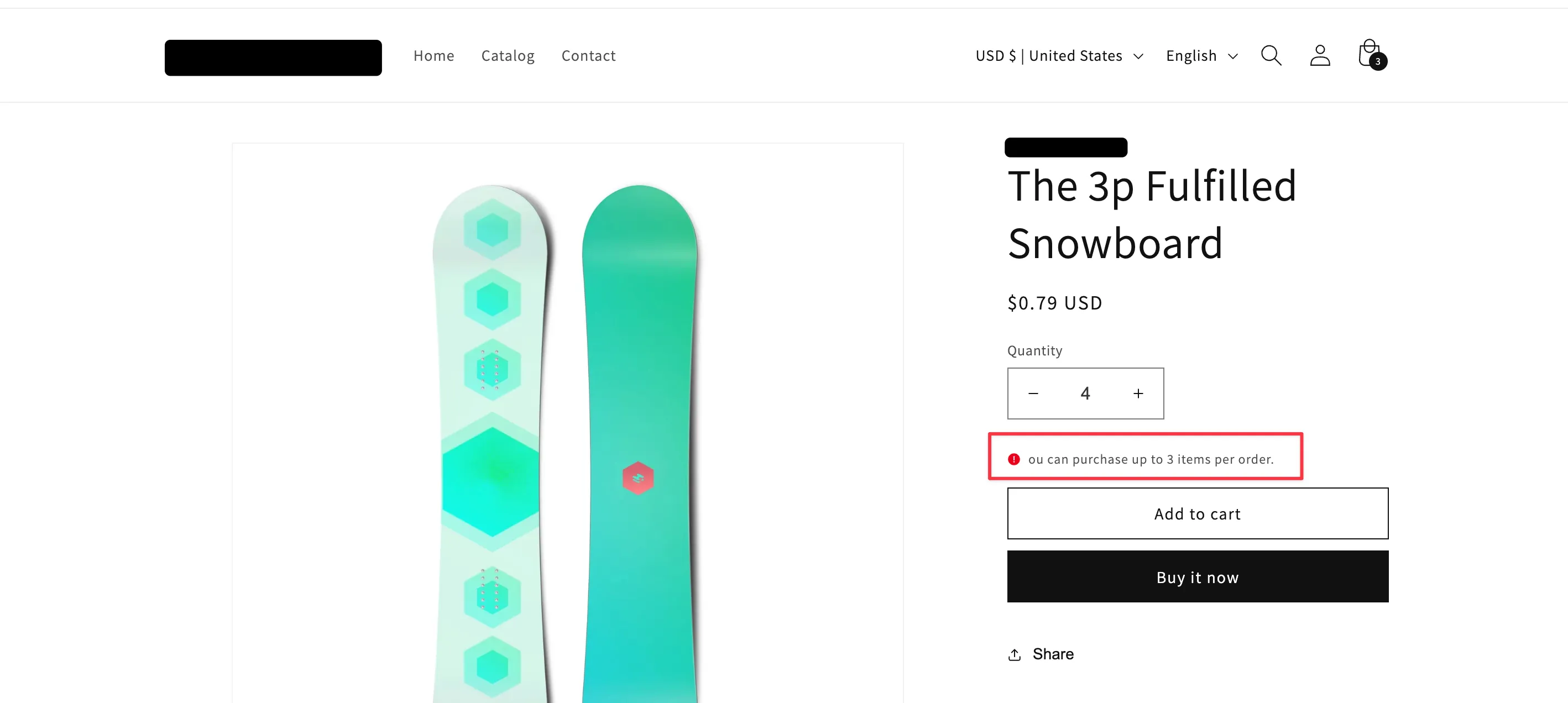
Theme code controls where and how the alert appears on storefront pages. Depending on the theme, the alert style, position, or even visibility may differ—always confirm the appearance directly on your storefront.
Important Notes About “Cart Changes”
Section titled “Important Notes About “Cart Changes””⚠️ Dynamic / Express Checkout Behavior
Section titled “⚠️ Dynamic / Express Checkout Behavior”When the alert is configured to show during cart changes, the following purchase flows may treat even logged-in shoppers as guests due to Shopify’s specifications:
- Dynamic checkout buttons such as “Buy it now”
- Express checkouts like Shop Pay, Apple Pay, Google Pay, or PayPal
If a rule relies on customer-based conditions (login status, customer tags, email, etc.), these flows might trigger alerts unexpectedly. After saving your rule, test each express checkout to confirm the behavior.
⚠️ Cannot Combine with the Shipping Country Condition
Section titled “⚠️ Cannot Combine with the Shipping Country Condition”Shipping country is finalized only after the customer enters their address at checkout. When a rule includes this condition, the display timing is automatically locked to Checkout Page Only; alerts cannot appear during cart changes.
Translate the Alert Message
Section titled “Translate the Alert Message”Stores with multiple languages can toggle Add translations to provide localized alert text per language. If you skip translations, the default alert message is displayed for every language.
🔄 Next Steps
Section titled “🔄 Next Steps”- Plan Comparison — Review plan-specific limits for alert timing and translations
- Recipes — See practical configuration examples